Locked modes are designed for certain occasions. For example:
-
A mode that blocks only social media, if you are trying to cut back your screen time
-
A mode that blocks work apps, if your child uses your phone
-
A mode for all distracting apps, if you’re trying to focus at work
To edit or create a new Locked mode:
-
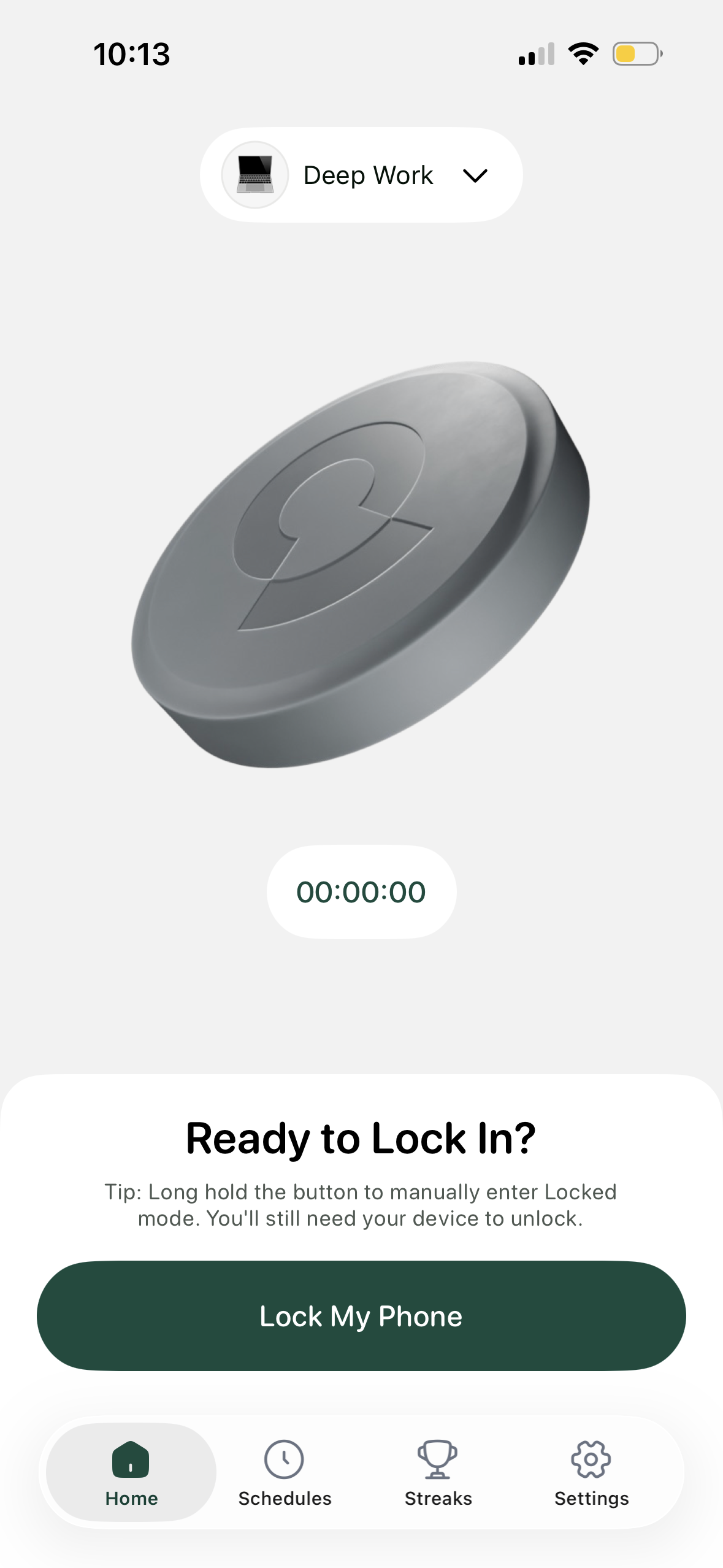
Tap the default profile at the top of the home page
-
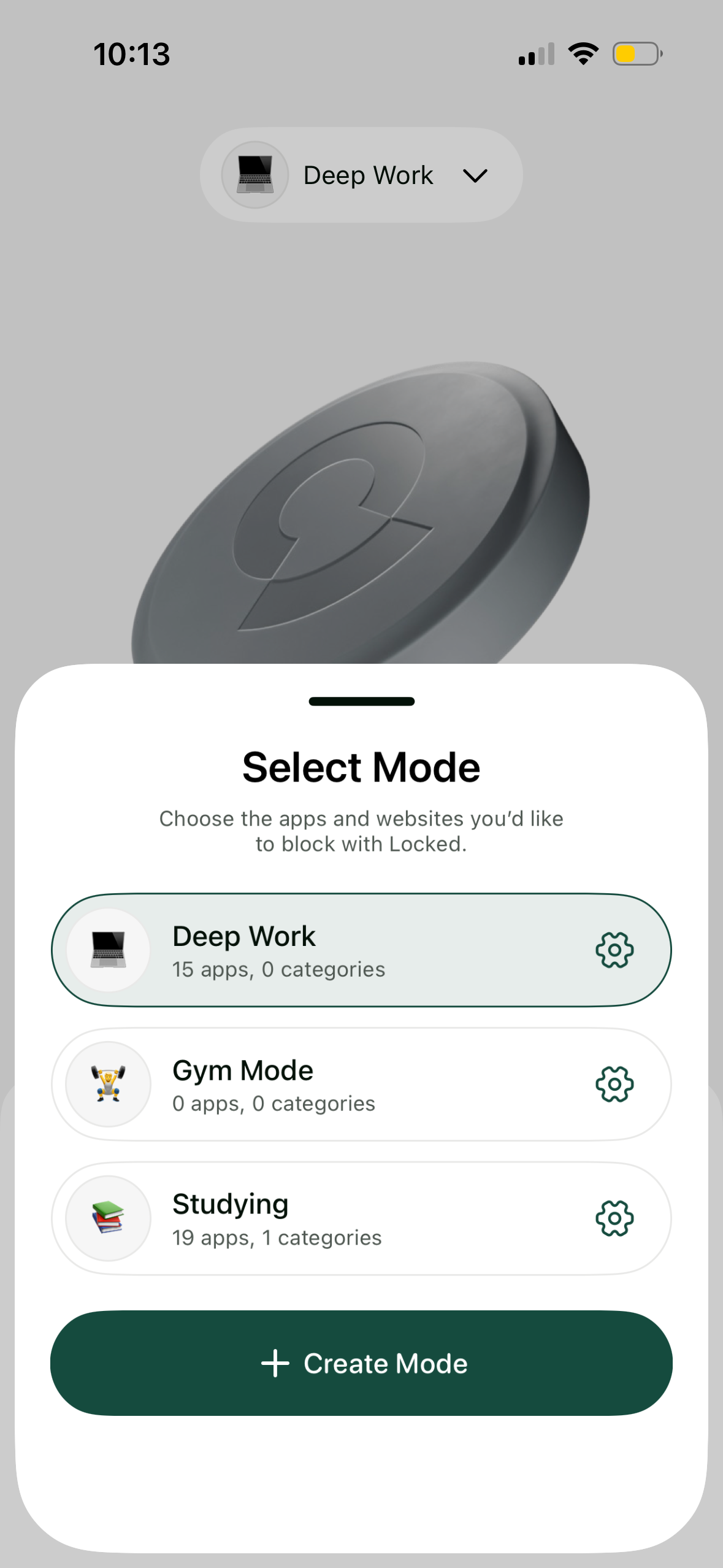
Select the mode you'd like to edit from the list or press "Create mode"
-
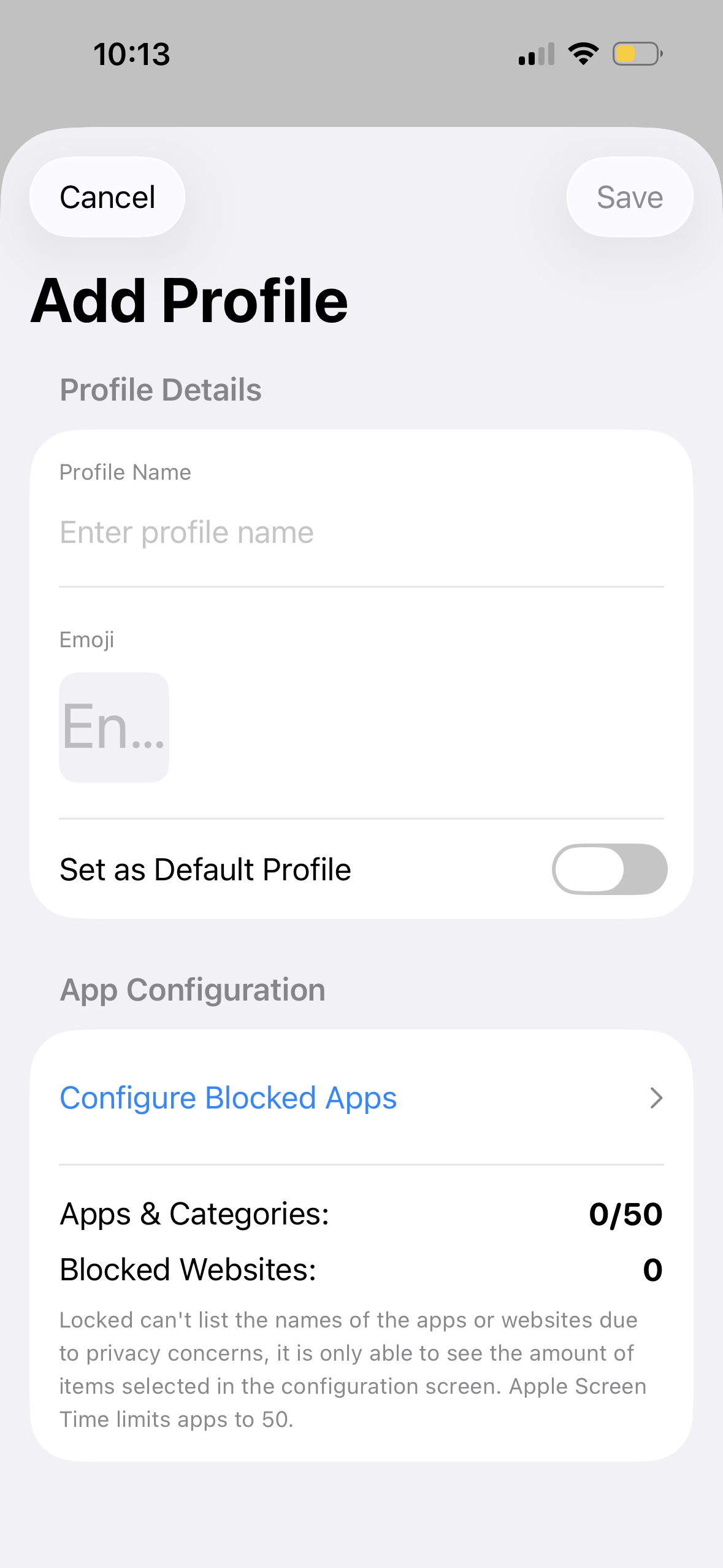
Tap "Edit" next to the mode name to edit its settings
-
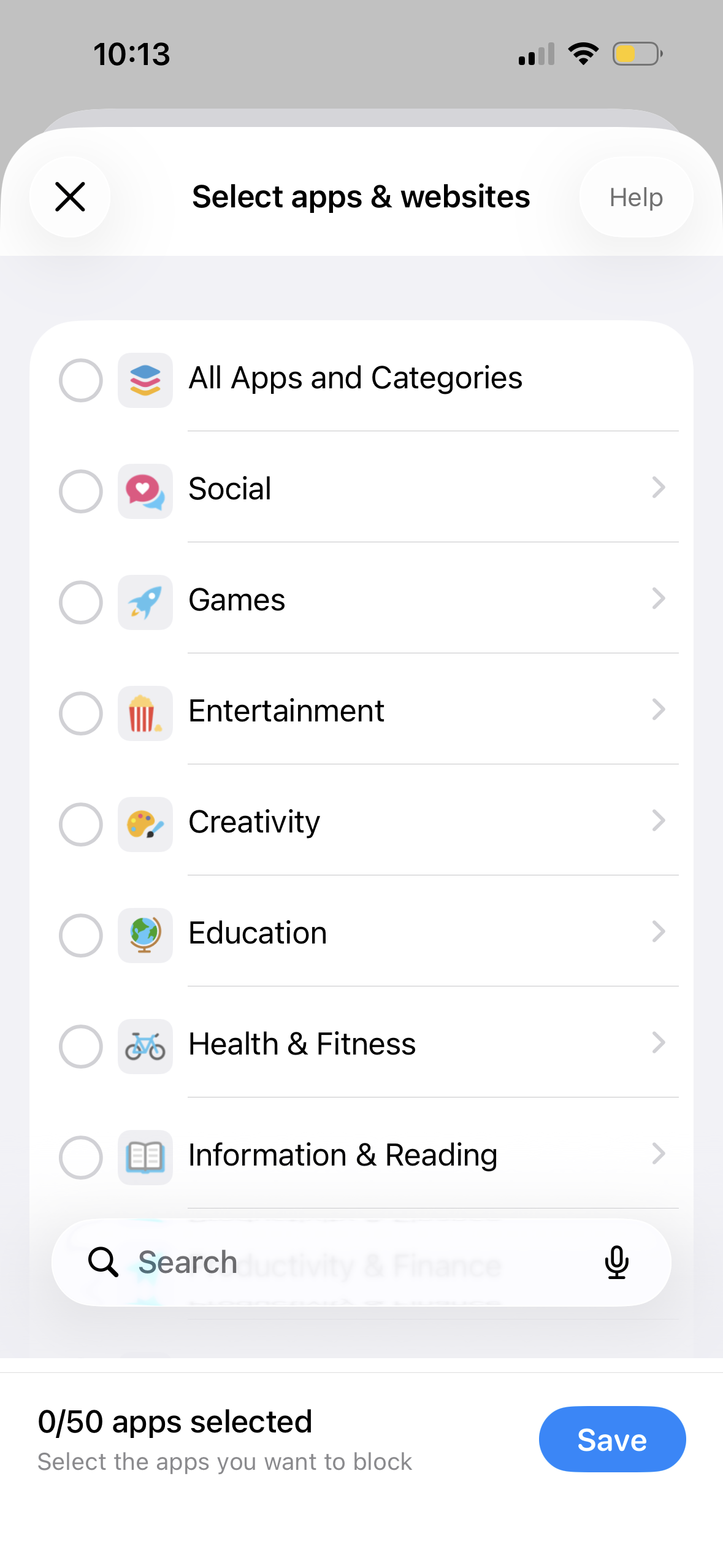
Select the apps and websites you want to include in your mode
-
When you're done, select "Save". You can always repeat these steps to make any changes to existing modes