Either the Locked device is faulty, or there is an issue with the app. We first need to work out if this is a hardware issue or a software issue.
Please confirm that you see a “Ready to Scan” pop-up when you tap the center icon on the Locked app. Note that you must open the Locked app to lock and unlock your device.
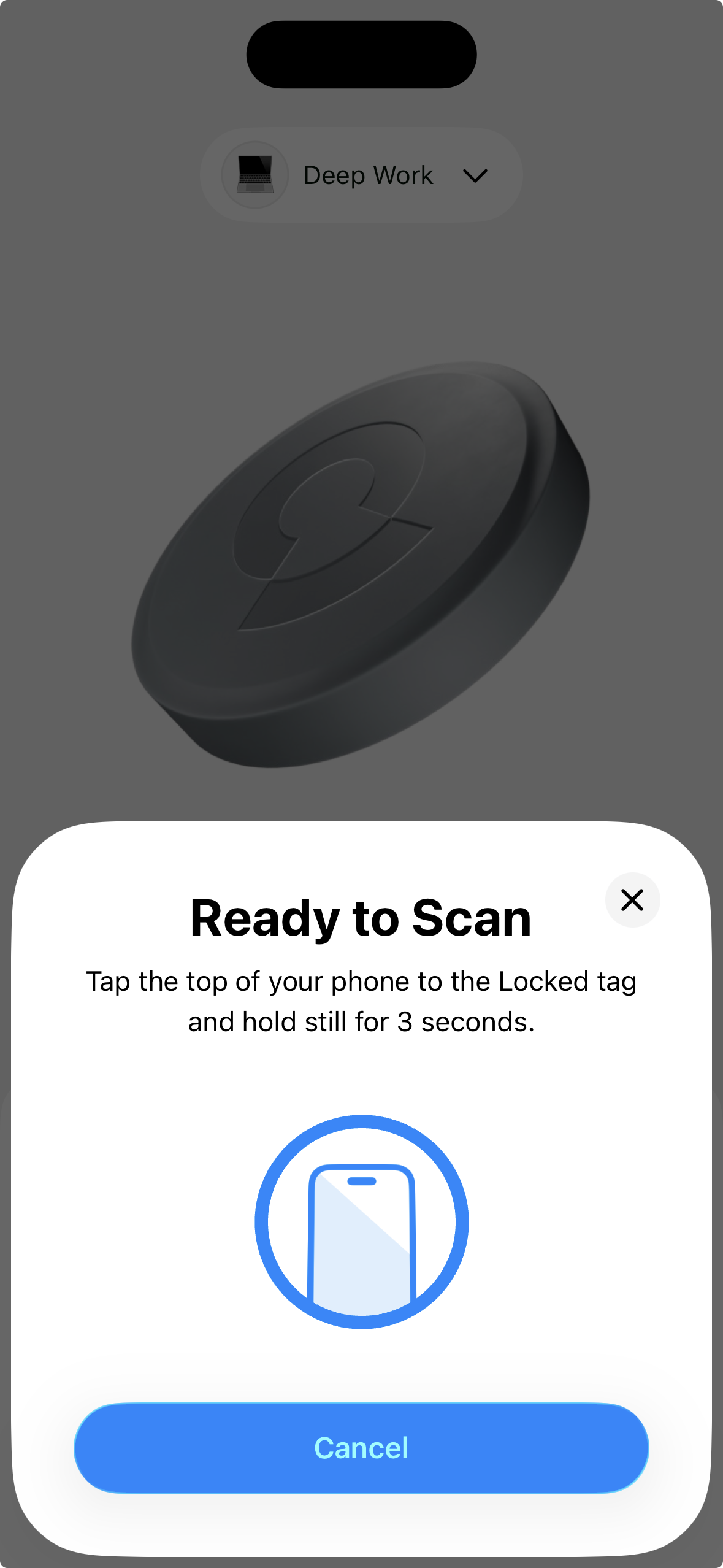
Locked will only work if you scan your device on this screen. You can’t scan your device unless this pop-up appears. That means you must always open the Locked app and tap ‘ready to scan‘ before scanning your device.
Is this a hardware issue?
If you try to scan your Locked device while on this screen and nothing happens:
-
There’s a high chance you have a faulty device, and we will need to send out a free replacement.
-
Here is the process to send out free replacements
If you try to scan your Locked device while on this screen and the pop-up page shows a red timeout error:
-
The customer may likely be using an invalid NFC tag, so we need to check if they’re a genuine customer by confirming their order number
-
Or, the customer is simply scanning the tag too fast. They must slow down and not rapidly scan or move the device.
If you try to scan your Locked device while on this screen, and the pop-up page shows a red tag format error:
-
They may have mistakenly overwritten the device by using another app on the App Store.
-
There is another app, confusingly called ‘Locked‘ on Apple, and if the customer uses this app, it will replace and overwrite the NFC data, making it unusable on our app.
-
This is a customer mistake, but they may have searched the app on the app store, rather than scanning our QR code. In this case, we’ll need to send the customer a free replacement device.
-
Here is the process to send out free replacements
Is this a software issue?
If you try to scan your Locked device while on this screen and the pop-up loads for a long period of time, or it appears to be frozen:
Option 1: Update to iOS26
- The App Picker function has improved greatly in iOS26. The best first step is updating if you haven't already.
Option 2: Reset App Picker
If you prefer, you can also fix the issue by resetting Screen Time, which will clear out old apps and websites.
Note: This will clear your browsing history.
-
Delete the Locked App from your device.
-
Open Settings > Screen Time on your iPhone.
-
Turn off these settings:
-
App & Website Activity (bottom of the Screen Time page)
-
Share Across Devices (third from bottom)
-
-
Reinstall the Locked App from the App Store.
-
When prompted, grant Screen Time permissions and choose your apps in the App Picker.
-
(Optional) After setup, you can choose to turn App & Website Activity and Share Across Devices back on.
Are you scanning it in the right place for your phone model?
- Try tapping the part of your phone that has the NFC reader when scanning

-
If you have a thick case on your phone, try removing it
-
If you're on an Android device, try hovering over the device instead of directly tapping it